Broken links are a common pain point for SEO specialists. They represent a hyperlink that points to a page or resource that no longer exists, meaning that clicking it will lead to an error like a 404 page rather than their desired destination.
Broken links tend to come in two forms: internal broken links, where your own website’s links refer to one of your pages that’s since gone, and external broken links, which point to someone else’s page that’s either been moved or removed entirely.
What Causes Broken Links?
There can be plenty of different reasons for broken links to occur. Common causes can include but aren’t limited to:
- Pages are getting deleted without a redirect
- URLs being altered by website owners
- Linked sites go offline or are restructured
- Human error when adding hyperlinks
The internet is in a constant state of flux, and this means that broken links can accumulate naturally over time, with sites from virtually any industry impacted by this kind of error.
It’s for this reason that regularly checking for broken links should be a part of routine maintenance for your website, rather than a one-off task.
Why Broken Links Matter
The impact of broken links can be felt in two ways. For your visitors, they can be a usability pain point that erodes trust in your business, and for your SEO, a broken link can waste crawl budget and leave pages stranded if the only links pointing to them are broken.
Even worse is that when one of your own highly valued pages becomes a broken link target without a redirect, you’ll lose link equity that’s been accumulated by your page.
Broken outbound links to other sites can also be an issue that is certainly worth paying attention to, even if their impact is less severe.
Discovering Broken Links
Fortunately, finding broken links is pretty simple as long as you have the right tools at your disposal.
Crawlers like Screaming Frog, Ahrefs, and Semrush can all help to audit your pages and scan your site to list every broken link they find, regardless of whether they’re internal or outbound.
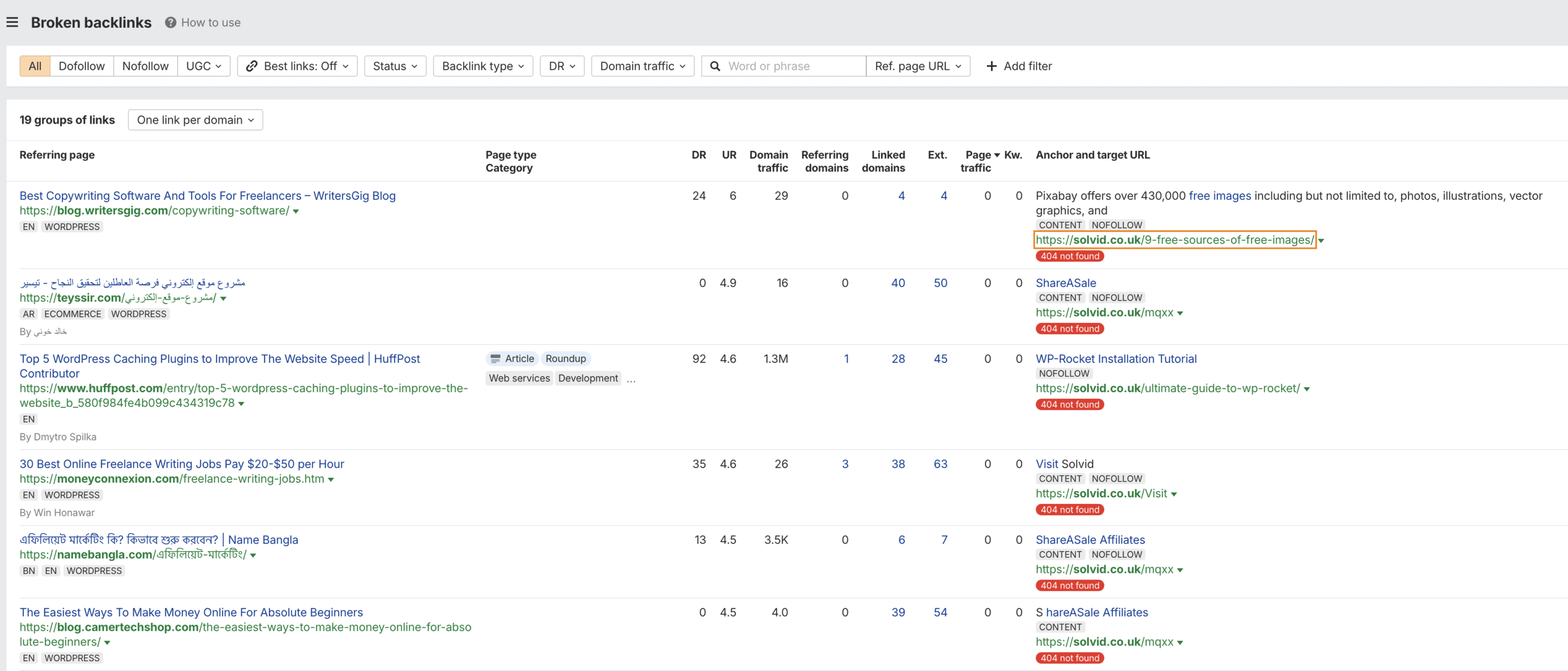
Additionally, Google Search Console has the ability to flag crawl errors, and running these checks regularly can be an effective way to catch problems before they have a chance to pile up. They can be an especially important consideration if you’ve carried out significant on-site changes.
How to Fix Broken Links
Fixing broken links is also a fairly straightforward process. Simply update the link to point to an appropriate live URL. If the target’s completely gone, you can either remove the link entirely or find the closest alternative in terms of relevance.
If you’ve lost an internal link, adding a 301 redirect to a contextually relevant replacement is the most appropriate measure to take. This ensures that your old links will keep working and can pass their equity on.
Backlink Opportunities
If you’re looking for ways to boost your SEO performance in an effective way, finding broken links on other websites may offer the opportunity to alert the owner and suggest one of your own pages as a contextually relevant replacement.
While this will only work on websites that are related to your industry niche, it can be an effective way to improve your backlink profile.
With this in mind, broken links can be both a regular maintenance process and a tool for prospecting new links on external sites.
 194 customers signed up in the last 30 days




 hello@solvid.co.uk