
What is an XML sitemap.
An XML sitemap is a structured file that lists the pages on your website you want search engines to know about. Each entry holds the page’s URL and, optionally, when it last changed, how often it tends to change and how important it is relative to your other pages. Search engines read the file as a crawling roadmap. It does not replace normal crawling through links; it supplements it, making sure nothing worth indexing gets missed.
You need one most when discovery is hard. New sites with few backlinks, large sites with thousands of pages, sites with weak internal linking, and sites whose content changes frequently all benefit measurably. A sitemap also gives you a diagnostic channel: submit it in Google Search Console and Google reports how many of the listed URLs are indexed and flags problems with the rest. That indexed-versus-submitted gap is one of the most useful numbers in technical SEO.
For a small, well-linked brochure site, a sitemap is less critical, but it costs nothing and never hurts. Every professional SEO setup includes one as standard, referenced from robots.txt and submitted to Search Console. If your CMS does not produce one, or produces one full of junk URLs, generating a clean file is a ten-minute fix with long-term value.
How an XML generator looks:
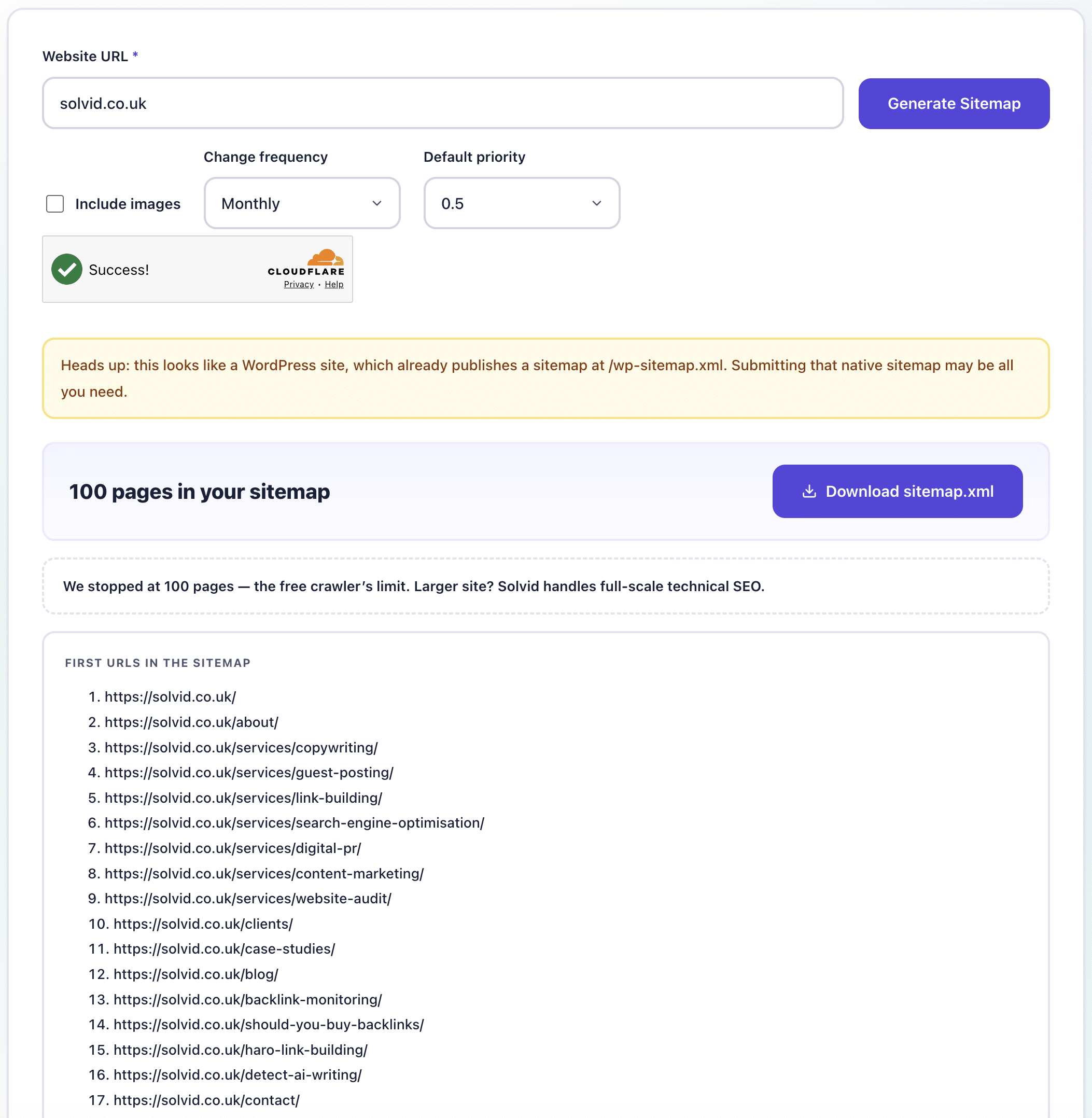

Enter your website URL

Start the crawl

Watch the progress

Download your sitemap.xml
Who this generator is for.
For anyone whose site needs a clean sitemap and whose CMS will not provide one.
Site owners
Developers
Technical SEOs
Agencies
Small online stores
Bloggers
Migration specialists
Freelancers
What is an XML sitemap for?
How many URLs can the generator crawl?
Where do I upload the sitemap file?
Does WordPress already generate a sitemap?
Do I really need an XML sitemap?
Does the crawler respect robots.txt rules?
How do I submit it to Google?
Is the XML sitemap generator free?


UK Address: 6 St. Davids Square, London, E14 3WA, United Kingdom

US Address: 9100 Wilshire Blvd East Tower, Suite 333, Beverly Hills, CA 90212, United States

Solvid is an international SEO and link building agency. Solvid is a registered trademark of Solvi & Heirs LTD, registered in England and Wales. Registered Address: 6 St. Davids Square, London, England, E14 3WA
VAT: GB 326425708
Reg: 09697233
 020 7072 8788
 hello@solvid.co.uk




Our Services
Sectors
Useful Links
 2026 Solvi & Heirs LTD | Terms & Conditions | Privacy Policy | Cookies Policy | Sitemap | GDPR | Your Right To Be Forgotten